Unlimited Korea Data eSIM (Instant Use)SIM & eSIM in Seoul, Korea
Book with KBeauty Wallet
 KBeauty Wallet
Prices as of Nov 6, 04:53 PM
Unlimited Korea Data eSIM (Instant Use) is a SIM & eSIM option in Seoul, Korea. The same activity is often sold on several sites with different prices, coupons and cancellation rules, so KBeauty Wallet puts the main booking sites side by side. Check the meeting point, what is included and the cancellation policy on the booking site before you pay — or ask us to book it for you.
- Category
- SIM & eSIM
- Area
- Seoul
- Source
- KBeauty Wallet
Info checked 2026-11-01. Confirm details with the provider before you go.
Build a day around this
Tap Add and it goes into one plan.
- UH Flat The SeochoGangnam · 4.5-starUS$203.93~ / nightEarn about US$10 in points

- UH Flat Signature GangnamGangnam · 4.5-starUS$187.40~ / nightEarn about US$9 in points
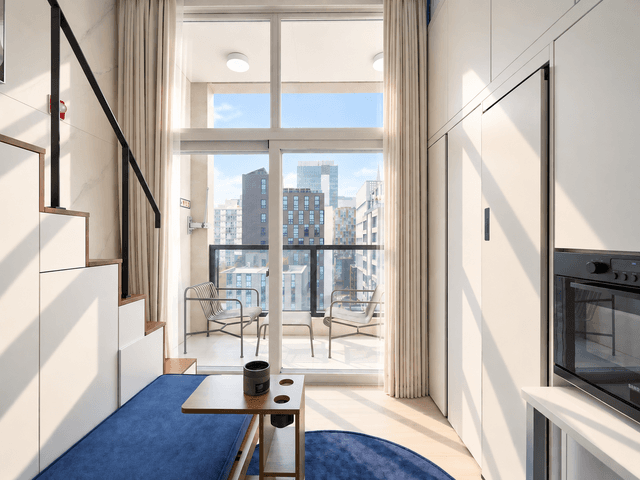
- UH Suite The MyeongdongMyeongdong · 3-starUS$310.04~ / nightEarn about US$16 in points

- UH Continental SeoulcenterGwanghwamun & City Hall · 4-starUS$310.04~ / nightEarn about US$16 in points
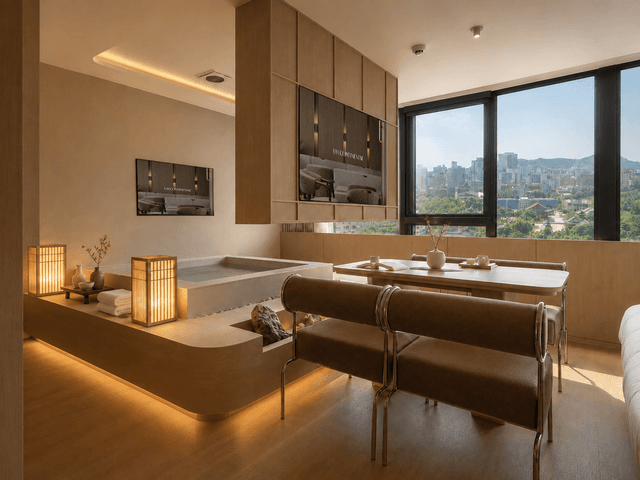
- UH Suite The SeoulMyeongdong · 3.5-starUS$417.88~ / nightEarn about US$21 in points

- Incheon Airport - Seoul Gangnam COEX Limousine BusSeoul · Transfers & passes
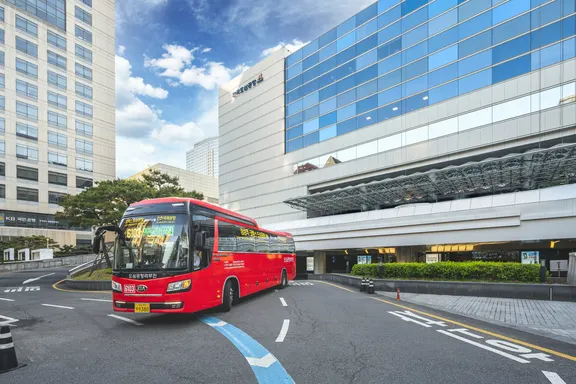
- South Korea Intercity Express Bus TicketsSeoul · Transfers & passes
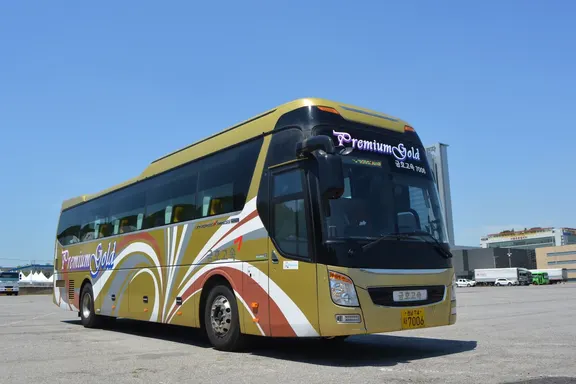
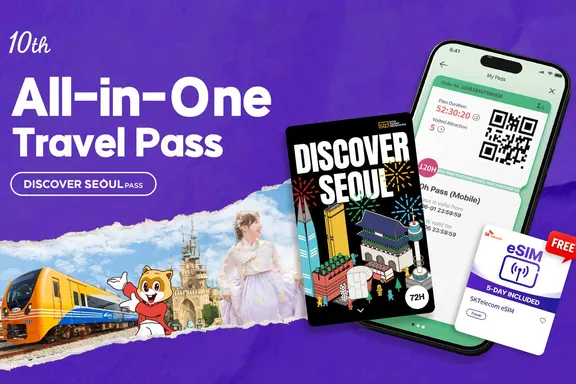
- Discover Seoul PassSeoul · Transfers & passes
- KORAIL PASS - KTX Train TicketSeoul · Transfers & passes

- WOWPASS: Prepaid Card for Cashless Payment in KoreaSeoul · Transfers & passes
At a glance
Unlimited Korea Data eSIM (Instant Use) is an activity in Seoul. From ₩400 per person (as of 2026-11-05). Booking is confirmed within 8 hours. Cancellation is not available. The ticket is valid only on the date you select. Your mobile voucher is sent by email and shown in your KBeauty Wallet wallet.
Overview
- Travel all over Korea more conveniently with Dosirak eSIM!
- Introducing an eSIM that you can use immediately without needing to pick it up, as the QR code will be delivered within 24 hours of your order. It's more convenient as you don't need to remove and store your existing SIM card separately, eliminating worries about damage or loss. It's great because you can purchase local data at a reasonable price. Now, register it directly on your phone with the QR code after purchase and start using it!
Highlights
- • Please make sure to check compatible devices before ordering.
- • Please be sure to provide the email address where you would like to receive the product after purchase.
- • Please make sure to read and check the instructions and precautions for use.
Included
• Dosirak eSIM QR code (sent via email and mobile voucher)
Not included
• Traveler's insurance Sign up here
How to use
- • Purchase your desired plan
- • Scan the QR code in the email and mobile voucher you receive (sent daily at 12 PM and 4 PM KST)
- • Register the eSIM according to the setup instructions for your device's operating system
- • Validity Period: Within 180 days from the purchase date
- How to Use:
- 1. Purchase
- • Select your desired eSIM data capacity and usage period.
- • Once your order is confirmed, the QR code will be sent via email and mobile. (Orders placed by 11 AM on weekdays will be shipped the same day; orders placed after that will be sent by 12 PM the next day.)
- • Orders placed on weekends/holidays will be shipped on the following business day.
- 2. Setup (Android Version Learn More / iPhone (iOS) Version Learn More)
- Go to Settings > Cellular
- Select 'Add Cellular Plan'. (Plan can only be added in a network environment)
- Add Cellular Plan > Scan QR Code
- Scan the QR code image received via text and email.
- If the QR code cannot be scanned, you can set it up manually.
- Assign Plan Label and Line Usage
- Existing SIM → Main
- eSIM (Local SIM) → Secondary (Set freely for travel, work, etc.)
- Set Default Line
- Existing SIM → Calls/Messages, iMessage/FaceTime
- eSIM (Local SIM) → Cellular Data (Turn OFF data roaming)
- Go to Settings > Cellular > Turn OFF Cellular Data Switching
- When using abroad, turn off cellular data switching to prevent using your existing SIM (Main) for data.
- * If you turn on data roaming while the 'Main' cellular plan is selected, roaming charges may apply from your domestic carrier (Main line).
- Manual APN Setting (If data is not working)
- Settings > Cellular > Cellular Plan > Select eSIM Plan > Cellular Data Network
- In most cases, it will be set automatically, but sometimes the APN information needs to be changed.
- * Check the product details page for APN information.
- Check Device Compatibility
- This eSIM can only be used on models equipped with an eSIM module. Please confirm device compatibility before purchasing.
- Compatible devices may be added later based on the manufacturer's policy.
- Devices with a country lock cannot use the eSIM service. Please unlock your device before use.
- APPLE
- All iPhone models released after the XS support eSIM (including mini, plus, and max models).
- - iPhone SE2, SE3
- - iPhone XS, XS MAX, XR
- - iPhone 11, 11 Pro, 11 Pro Max
- - iPhone 12, 12 Pro, 12 Pro Max
- - iPhone 13, 13 Pro, 13 Pro Max
- - iPhone 14, 14 Pro, 14 Pro Max
- - iPhone 15, 15 Pro, 15 Pro Max
- - iPhone 16, 16 Pro, 16 Pro Max
- iPhones purchased in mainland China, Hong Kong, and Macau do not offer eSIM modules. eSIM is only available on some iPhone SE (2nd generation) and iPhone XS models purchased in Hong Kong and Macau.
- (For more details, please refer to the official Apple website.)
- SAMSUNG
- - Galaxy Z Flip 4 (Domestic)
- - Galaxy Z Fold 4 (Domestic)
- - Galaxy S24 (Domestic)
- - Galaxy S24+ (Domestic)
- - Galaxy S24 Ultra (Domestic)
- - Galaxy S23 (Domestic)
- - Galaxy S23+ (Domestic)
- - Galaxy S23 Ultra (Domestic)
- - Galaxy Fold (International)
- - Galaxy Z Flip (International)
- - Galaxy S20 (International)
- - Galaxy S20+ (International)
- - Galaxy S20 Ultra 5G (International)
- Samsung (Galaxy) phones released domestically can only be used on the above models equipped with an eSIM module.
- Some Samsung (Galaxy) models released internationally support eSIM.
- Pixel 4, 5, 6, 7, 8, 9
- Pixel Fold
- Please check with the manufacturer for availability on unlisted devices and other inquiries.
- Contact Us:
- Widemobile Customer Center 1566-9070
- 09:00 - 18:00 (Closed on weekends/holidays and during lunch break 12:00-13:00)
- KakaoTalk @도시락통
- AI Customer Center operating 24/7, year-round
- For inquiries from overseas:
- +82-2-775-1401
- 09:00 - 18:00 (Closed on weekends and holidays)
- Please check with the manufacturer for availability on unlisted devices and other inquiries.
Good to know
- • This eSIM can only be used on devices equipped with an eSIM module. Please ensure your device is compatible before purchasing. (No refunds or compensation will be provided for installation issues.)
- • Orders placed before 4 PM KST will be shipped the same day, 365 days a year.
- • Shipments are made once after 12 PM and once after 4 PM.
- • Please confirm that your mobile phone model supports eSIM service before purchasing. (iPhone XS, XS Max, XR, and later models are compatible)
- • If your phone has a SIM lock or phone protection service enabled, you must unlock it through your carrier's customer service or website to use the eSIM.
- • You need an active data connection (cellular network or Wi-Fi) to register the eSIM on your device.
- • Deleting the registered cellular plan after scanning the QR code will make the eSIM unusable. Please maintain the plan until you have finished using it.
- • You can activate the eSIM in advance in Korea, but it will be recognized as activated at that time. Activation in Korea is recommended.
- • It is highly recommended to turn OFF your domestic carrier's data roaming before departure. (Incorrect operation may result in roaming charges abroad.)
- • Depending on the local carrier's network environment, data access may not be smooth in some areas. If your device's frequency band does not match the local carrier's network, you may connect at 3G or 2G speeds.
- • The product options (data allowance, validity period, promotions, etc.) may be changed by the provider without prior notice, subject to the terms and conditions of the service provider.
- • Refunds are not possible for issues arising from user error or failure to adhere to usage guidelines.
- • For [500MB, 1GB] plans, the usage period starts from the time of eSIM activation. It is calculated on a daily basis, not a 24-hour cycle. Ex: For a 1-day plan, if activated (e.g., on Feb 2, 2022, at 13:00 GMT+8), it ends on Feb 2, 2022, at 23:59:59, counting as one day used.
- • For the [8GB] plan, the usage period starts from the time of eSIM activation. It is calculated on a 24-hour cycle. Ex: For a 1-day plan, if activated (e.g., on Feb 2, 2022, at 13:00 GMT+8), it ends on Feb 3, 2022, at 12:59:59, counting as one day used.
- • Please make sure to check the usage instructions and important notices.
Cancellation
After purchase, product information (QR code) will be sent via email and Alimtalk. Exchange or refund is not possible after the QR code is sent or scanned.
Ask us on WhatsApp
Send your question in English and we ask in Korean for you. We reply within 24 hours. KBW charges no fee; you pay the place its own price.
KBeauty Wallet is a booking desk for foreign visitors to Korea, run since 2021 by Afformation Inc. in Gangnam, Seoul.
SIM & eSIM in Seoul, Korea: FAQ
How much is Unlimited Korea Data eSIM (Instant Use)?
From ₩400 per person (as of 2026-11-05). The final price by date and option is shown at checkout.
Where can I book Unlimited Korea Data eSIM (Instant Use)?
Book on KBeauty Wallet: choose a date, then an option, then your tickets, and pay by card. The voucher is sent by email and shown in your KBeauty Wallet wallet.
When is my Unlimited Korea Data eSIM (Instant Use) booking confirmed?
Booking is confirmed within 8 hours.
Can I cancel Unlimited Korea Data eSIM (Instant Use)?
Cancellation is not available. See the Cancellation section on this page for the rules.
When can I use Unlimited Korea Data eSIM (Instant Use)?
The ticket is valid only on the date you select.
Is pick-up included for Unlimited Korea Data eSIM (Instant Use)?
Pick-up is not included.
Can I join a tour right after a clinic treatment in Korea?
Plan active or outdoor tours before a procedure rather than right after it: after surgery or laser treatments clinics usually advise avoiding strong sun, saunas and heavy activity for several days. Ask your clinic how long to wait.
You may also like
Korea · SIM & eSIM
5G eSIM South Korea | SKT
Price on the seller’s site
Korea · SIM & eSIM
South Korea 4G Pocket WiFi (KR Airports Pick Up) from KT
Price on the seller’s site
Korea · SIM & eSIM
South Korea 4G Prepaid SIM Card (KR Airports Pick Up) from KT
Price on the seller’s site
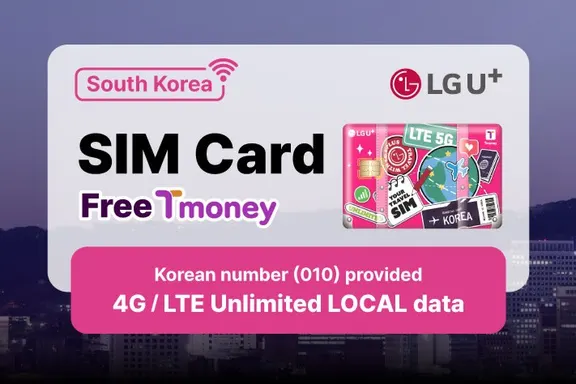
Korea · SIM & eSIM
[FREE T-money] SIM Card for South Korea Unlimited Local Data (LG U+)
Price on the seller’s site
Korea · SIM & eSIM
South Korea | 4G/5G eSIM (Buy and Get QR Code)
Price on the seller’s site
Korea · SIM & eSIM
South Korea SKT Unlimited Data eSIM with Free T-Money Card
Price on the seller’s site